A Small Reference Set for Testing Photo Presets
A repeatable maker workflow for deciding what an image preset may change and what must survive the edit.
One clean portrait can make an image preset look ready. A group shot with a face close to the edge can show a problem the portrait never exercised. Before shipping a new preset, put together a small set of input photos you can run again after each change.
Start by writing down what may change and what needs to survive. A holiday edit might replace clothing, lighting and the background. The number of people, the crop around each face and a pet's distinctive markings are useful things to check separately.
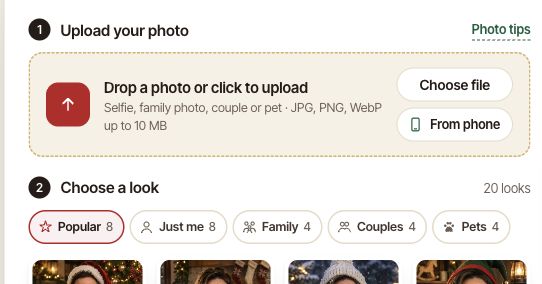
The examples at FestiveLooks show a source image beside a seasonal result. That pairing makes the question concrete. Before looking at the new scenery, can you still account for the important details in the source? Here is a small test set that makes the same check repeatable.
Pick three inputs with different jobs
Use one well-lit portrait as a baseline. It helps you notice when a change affects an otherwise straightforward case. Then choose one group photo with a person near an edge, and one pet photo with a visible coat marking. Use photos you own or have permission to upload to the tool. For shared bug reports, a consenting adult, a pet or a substitute image is easier to work with than a private family photo.
Give each file a stable name such as solo-window.jpg, group-right-edge.jpg and pet-white-paw.jpg. Keep those files unchanged between runs. If a crop deserves its own test, save it under a separate name. Otherwise it is hard to tell whether a change came from the crop or the preset.
Pair each input with a check you can repeat
For the baseline, compare the source and output at the same scale. Look around the eyes and glasses before judging the overall effect. For the group, count faces and inspect the person nearest the edge. For the pet, locate the marking and check it against the corresponding side of the source photo. Write the expectation before running the edit, so a convincing result does not change the standard midway through the test.
For each run, keep the input name, preset name, date and a short observation. “Three faces in the source, two in the output” tells the next person what to reproduce. A crop of the relevant area can document the problem without sharing the entire image. If two runs from the same input differ, keep both results and describe the difference.
Check the result at the size someone will use it
A face can look fine in a thumbnail while a pair of glasses breaks across the frame at print size. Open the output at the size you expect someone to download or print. Then look at the small preview once more. These two checks catch different problems, especially on group photos where the smallest face may only occupy a few pixels in the preview.
After a preset change, run the same three inputs first. If they pass, add one input for the specific case that prompted the change. Keeping the baseline small makes it easier to rerun and gives the next fix a clear starting point.
Comments
Replies to this content are sent to the original instance.
Log in to comment.
No replies received yet.